From Supabase to PlanetScale: Zero Downtime, 400GB, 150 Million Rows
Engineering
Feb 19, 2026
At Vitalize, we build the operational infrastructure hospitals rely on to tackle their most complex and critical staffing challenges. As we grow rapidly across leading health systems, we anticipated the demands our database would face. Our recent migration to PlanetScale ensures our platform can scale reliably in an industry where precision and speed directly affect patient care.
Supabase is an excellent out-of-the-box solution and a strong choice for an MVP. It accelerates early development by bundling authentication, database management, permissions, and realtime capabilities into a single, developer-friendly platform. This abstraction is powerful in the early stages. However, as usage grows and workloads become more concurrent, those same abstractions can obscure hard infrastructure limits.
Issue 1: Database connections
Database connection limits became a continued constraint as we scaled. During the 2024 holiday break, the team migrated off of a serverless architecture because the transaction pooler did not behave as expected and we were repeatedly hitting connection limits in production. Even after moving off serverless, the session pooler failed to perform as advertised. In practice, we were capped at fewer than 150 usable connections across 15,000 users, with 10–30 permanently reserved by the platform for auth and storage services. That left core clinical workflows, like moving a nurse to an understaffed unit, competing for the remaining headroom.
In some ways, this constraint forced us to adopt best practices: optimizing queries and breaking transactions into smaller units to free up connections more quickly. But eventually, a few hundred connections simply weren’t enough to support the scale of our operations.
Issue 2: Inefficient DB operations
It often felt like our queries would spike in latency at random points during the day. After digging into the metrics, we realized the problem wasn’t the queries themselves - it was the database waiting on storage. What we found was that over 60% of our CPU time was spent on “IOWait,” meaning our queries were constantly stalled waiting for the data to be read from the disk while the system was already exceeding the designed operation limits (which is not the case on PlanetScale Metal.)
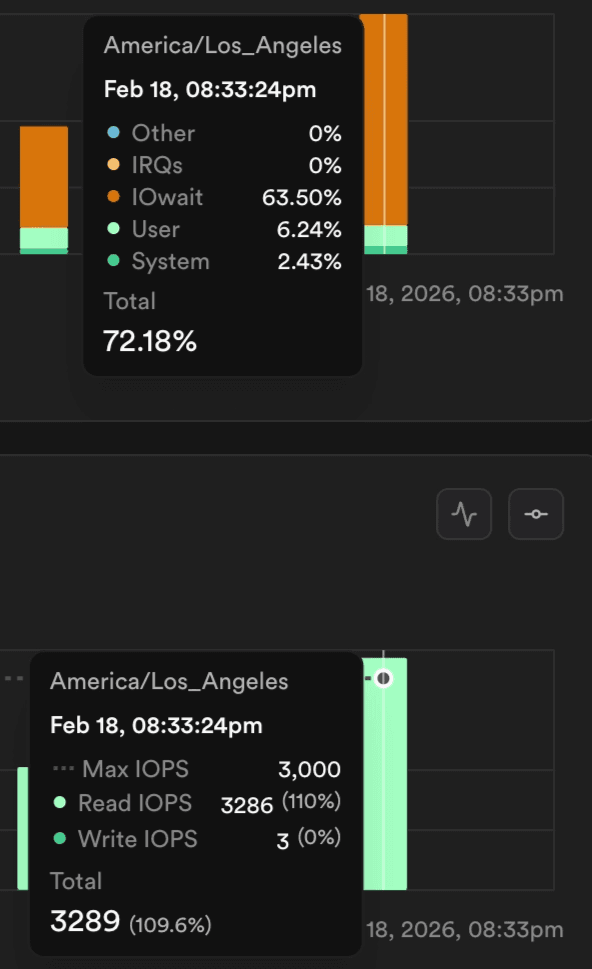
Many of our team members were already familiar with PlanetScale’s MySQL product, either through hands-on experience or from the broader developer community, so it was the natural first choice for a replacement. We were initially cautious about their new Postgres offering, but learning about Cursor’s many many many terabyte migration with minimal downtime convinced us that this was the solution that could scale with our needs.
Chris Munns and Sam Lambert have entered the chat
Migration Prep Work:
Before starting the migration, we ran the discovery tool provided by the PlanetScale team to get a full picture of our current database structure and identify any aspects of our Supabase setup that might complicate the migration. After reviewing the results with Chris, we were able to pinpoint the Supabase-specific tables and extensions that would need to be excluded during the pgcopy process.
Alongside this we also prepped the following:
Because we were still relying on Supabase for Auth, we decoupled requests into standalone calls and set up a webhook in Supabase to validate new user registrations.
Migrated our development environments to PlanetScale, configured session poolers, and began stress testing the app. At this point we also set up PlanetScale branching for our preview environments to improve the reliability of our Playwright tests (more to come in a separate blog!)
Untangled the RLS complexity introduced by Supabase (ex: reliance on authenticated role) and ensured access controls were properly enforced within the application layer
The Day Before Migration:
To give ourselves plenty of time to complete the full database copy and validate that the replication stream was working correctly, we started pgcopydb --follow a full day before the planned migration.
Almost immediately, we ran into an unexpected problem: infrequent, non-deterministic duplicate primary key errors. We tried a few ways to get around this:
“Have you tried turning it on and off again”: We dropped the target database and restarted the copy + sync process.
Parameter tuning the
pluginparam suspecting a potential issue withwal2jsoncausing event replays.
Both didn’t work. To move forward, we temporarily removed the unique constraint on the target database and planned to reconcile any duplicates during our cutover window.
Our final approach looked like this:
Start pgcopydb to perform the initial backfill and establish the replication slot on the source.
Allow the process to fail once it encountered a duplicate key error (this happened after the copy finished)
Drop the unique constraints on the target table
Resume the process with
--resume. Since the replication slot already existed on the source, pgcopydb picked up where it left off and continued streaming the changes
Morning of Migration Day
During our final checks, we discovered an issue with our audit table related to the supa_audit extension. Because the table had originally been created by the extension, not our Postgres user, the initial pgcopydb sync did not backfill its existing data.
The good news: once the replication slot was active, all new incoming records were being streamed correctly
The bad news: the original 130 million records were missing
Problem 1: How do we de-duplicate without a clear cutoff?
We didn’t know the exact moment our replication slot was created. That meant we couldn’t confidently determine where “old” data ended and “new” replicated data began.
Even though the table used bigserial IDs, we couldn’t rely on them to define a cutoff. IDs generally increase, but replication order isn’t guaranteed - transactions can commit concurrently, batch inserts may be applied out of sequence, and gaps or deletions can occur. Relying on “unsynced IDs” alone could easily result in missing or duplicated records.
Our solution was to create a temporary table on PlanetScale (e.g. supa_audit-temp), and copy all the records (again) from the source. Once the data was in PlanetScale, we could then slowly comb over and insert records into the final table while deduping directly on PlanetScale (e.g. insert from supa_audit-temp → supa_audit ).
Problem 2: Running out of space
We did the math and we checked it twice but sometimes even that’s not enough. This was by far our largest table and with the approach above, we’d briefly have double the amount of data in our target. We crunched the numbers and realized that we’d be under the 400GB disk by a decent amount
Turns out, we were wrong. The database grew to around 370 GB, and the PlanetScale instance ran out of space due to system overhead, WAL files, and other invisible storage costs. This is normal behavior in Postgres, but something we hadn’t accounted for in our planning.
Within 30 seconds, the PlanetScale team was already in our Slack channel. They helped us increase our disk sizing to quickly resolve the issue and replaying the WAL messages.
Our source replication slot was still active and accumulating changes, so as long as the new resize completed before the backlog grew too large, we could continue without losing anything.
The Migration Itself:
At 1AM eastern we cutover our database. We scaled our app down to zero and let the WAL fully catch up on the target. While the app was offline, we re-applied our constraints and cleaned up the few duplicates that had accumulated. After running some final COUNT(*) sanity checks, we signed off on the migration. Then we scaled the new application instances back up — and just like that, our app was back online and fully operational!
Post-Migration:
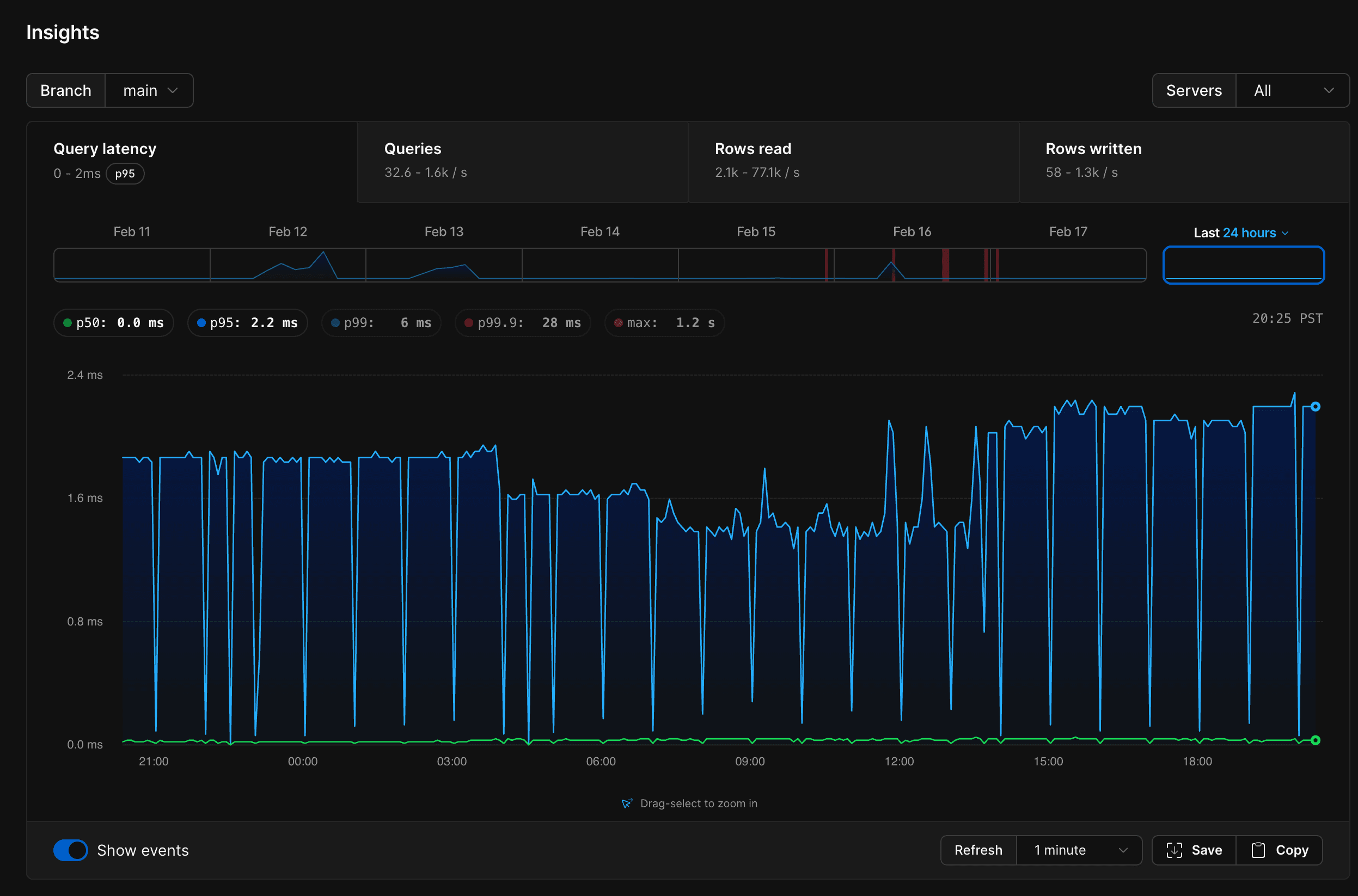
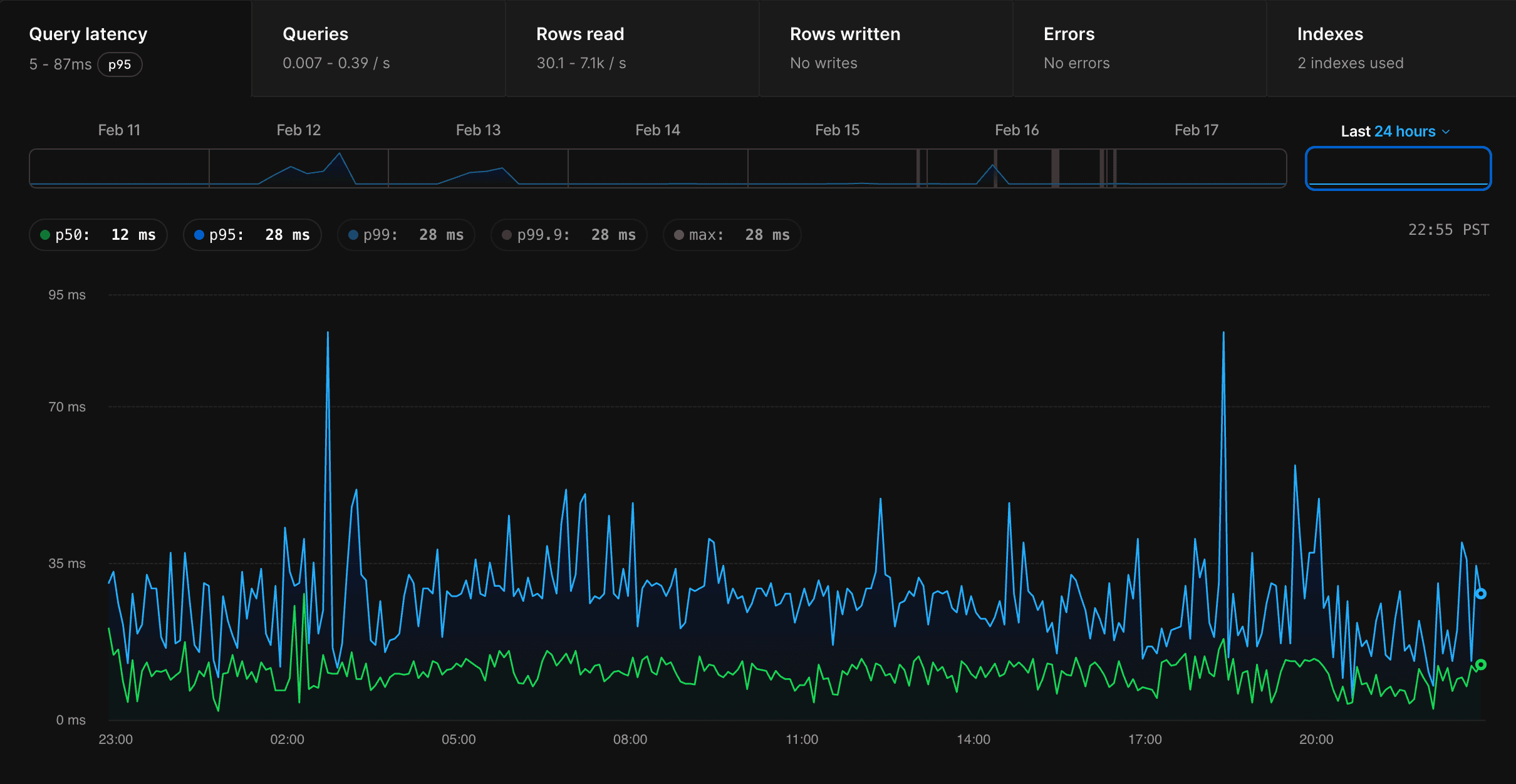
Post migration, life has gotten a lot simpler. Our P95 latency is now just 2ms. Reads on the 200GB table with heavy JSONB objects max out at 1.2s - compared to an average of 50s on Supabase. Database connections are manageable, and the system feels stable and responsive.
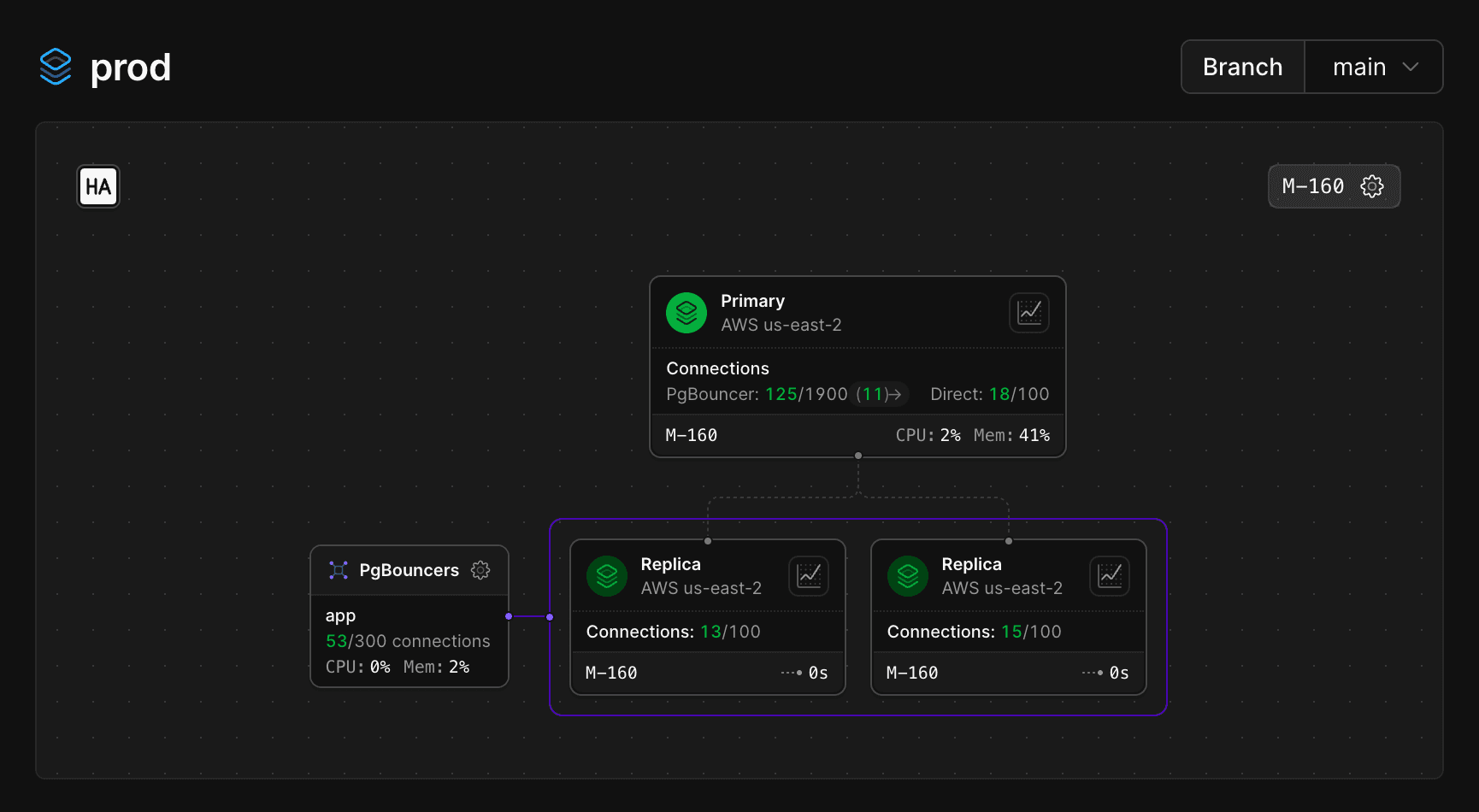
We’re running on the M-160 plan (2 CPU / 16GB), whereas on Supabase we were on the XL tier (4 CPU / 16GB) - yet performance is far better and more predictable.
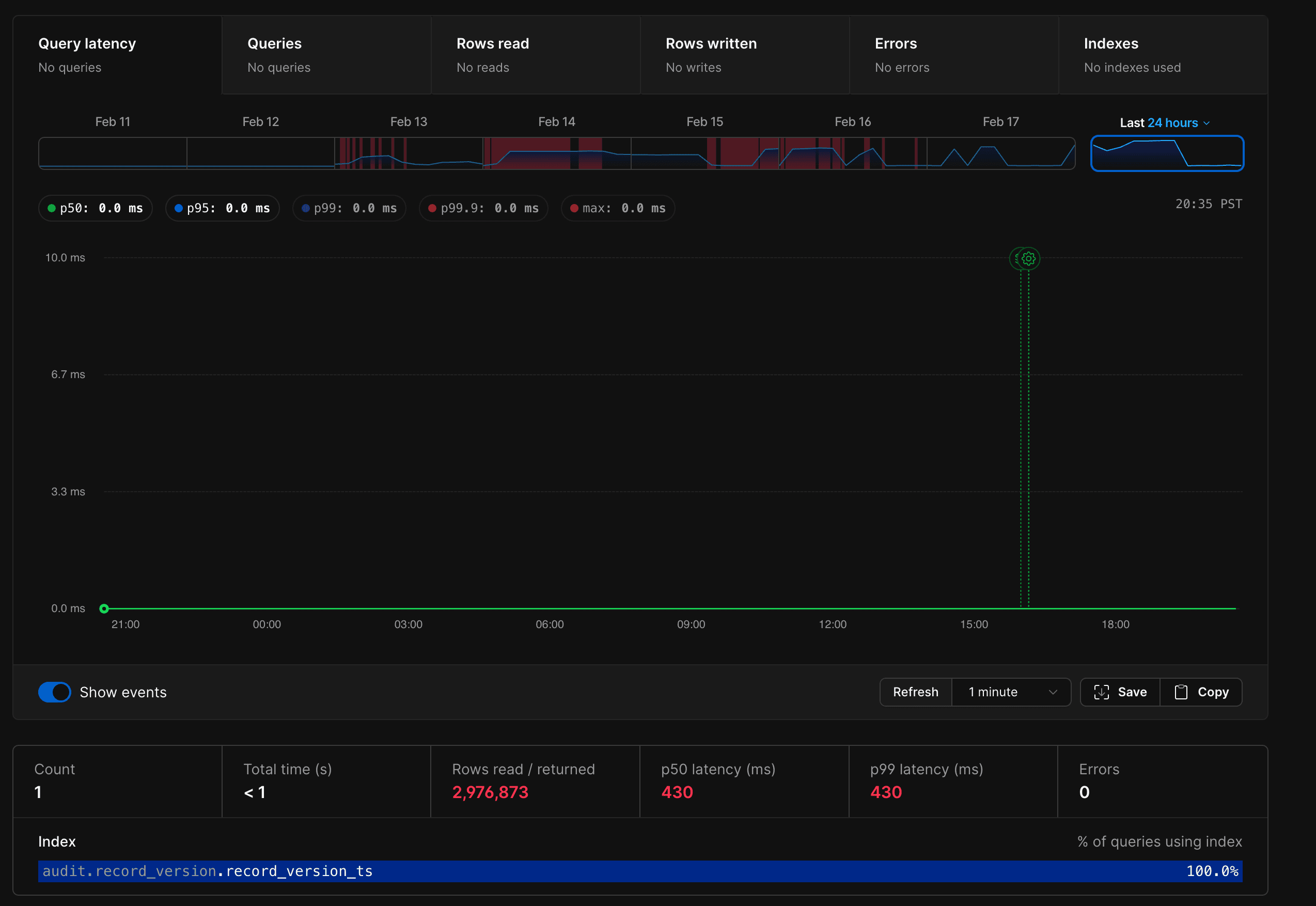
On top of that, the insights PlanetScale provides are far more actionable and useful, giving us visibility we never had before into query performance, index usage, and overall database health.